
Apple Watch vs Fitbit for Fitness Tracking: Which Is Better for Beginners?
A researched comparison of Apple Watch and Fitbit for beginners who want to walk more, exercise consistently, and use fitness data without paying for features they will not use.
Click a star to rate
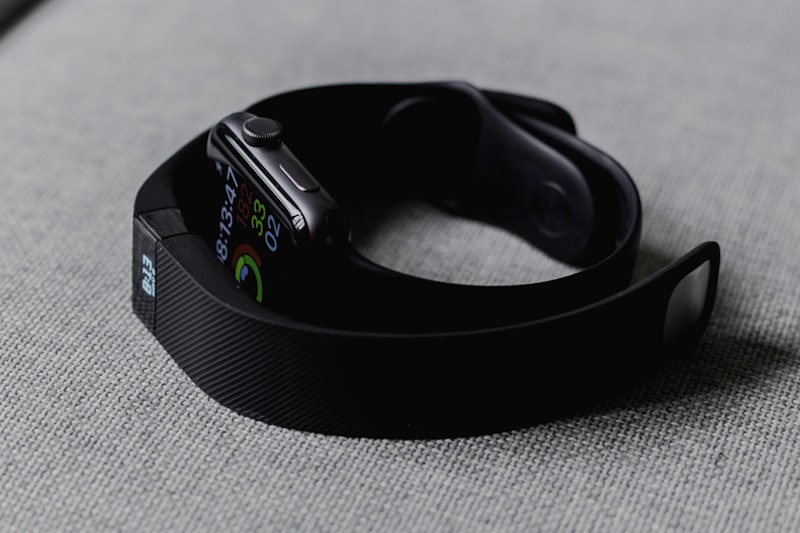
Quick verdict
For most iPhone owners who want a watch that also handles calls, messages, apps, and detailed workout tracking, Apple Watch is the stronger fit. For people who want a lighter, simpler tracker with less charging and fewer wrist distractions, Fitbit is often the easier device to live with.
Neither brand causes fat loss. A tracker can make the useful parts of fat loss easier to see: how often you moved, whether your walks became more consistent, how hard a workout felt, and whether poor sleep or recovery is affecting your routine. The best choice is the one you will wear most days and understand well enough to change a habit.
This is a researched comparison, not a hands-on test. It focuses on the current Apple Watch family, especially Apple Watch SE 3 and Series 11, and the Fitbit options most relevant to beginners, including Fitbit Air and Charge 6. Features, pricing, and availability can vary by country and model, so verify the exact product page before buying.
Choose Apple Watch if / choose Fitbit if
| Choose Apple Watch if... | Choose Fitbit if... |
|---|---|
| You use an iPhone and want deep Apple integration. | You use iPhone or Android and want broader phone flexibility. |
| You want a full smartwatch, apps, calls, messages, maps, and music controls. | You mainly want steps, sleep, heart rate, workouts, and a less distracting device. |
| You are comfortable charging daily or near-daily. | You regularly forget to charge devices or want multi-day battery life. |
| You like seeing live workout data on your wrist. | You prefer a smaller tracker or a screen-free option. |
| You want Apple Health and Fitness integration. | You prefer Fitbit's activity, sleep, readiness, and coaching-style ecosystem. |
Start with the question that actually changes the answer
The wrong way to shop is to ask which brand has the most features. More data does not automatically make a new routine easier. A beginner who wants to lose fat usually needs a device that supports four repeatable actions: take more steps, complete planned workouts, notice recovery patterns, and avoid giving up after an imperfect week.
That makes phone compatibility and charging behavior more important than a long sensor list. An Apple Watch requires an iPhone. Fitbit devices are designed to work with compatible iPhone and Android phones, although the exact app, feature, and regional requirements should be checked for the model you are considering. If you use Android, that single compatibility point usually removes Apple Watch from the decision.
The next question is less obvious: what will make you stop wearing it? Some people dislike a device that needs frequent charging. Others need a visible display, workout cues, and notifications to stay engaged. There is no universal winner between those preferences.
The current models worth comparing
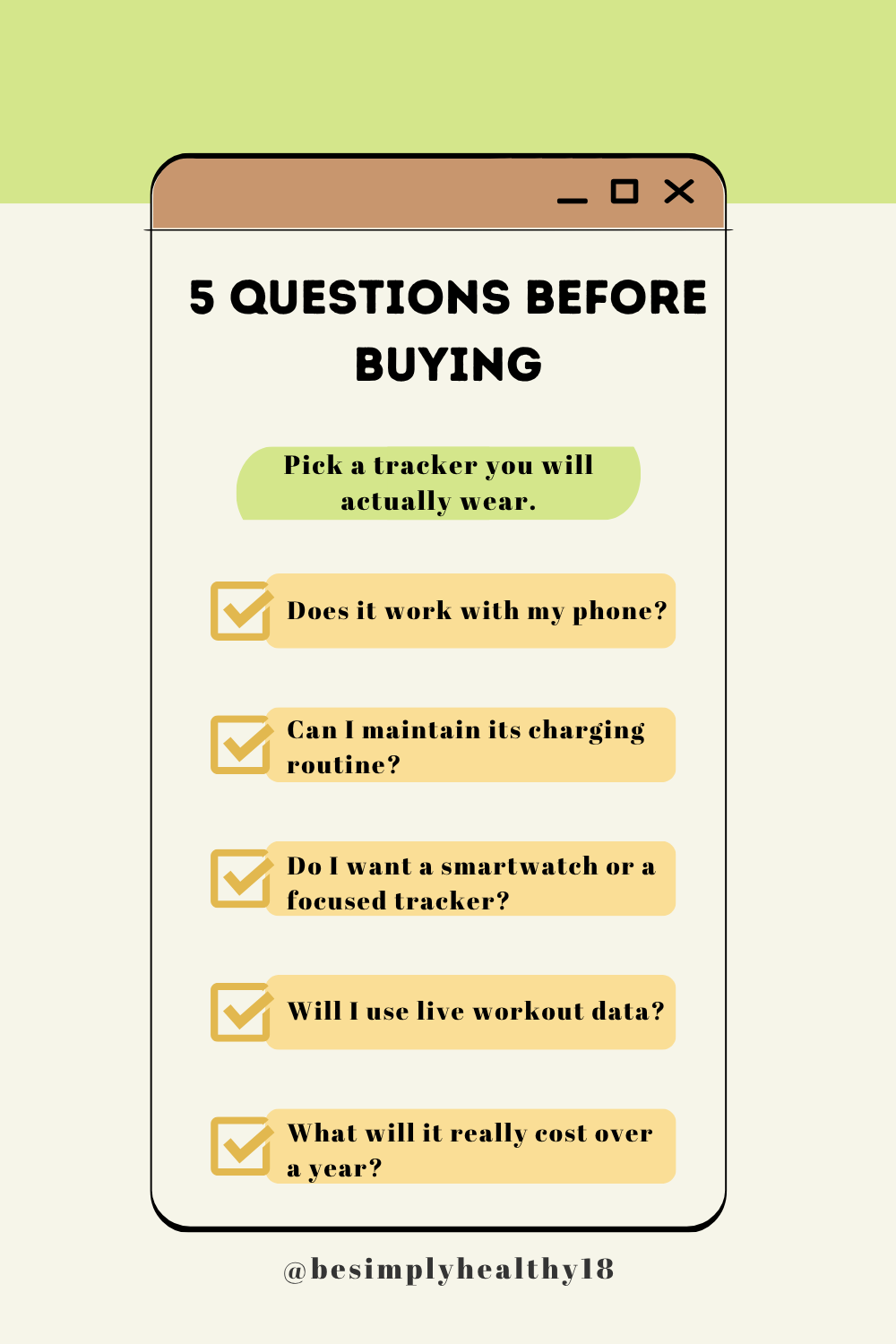
“Apple Watch versus Fitbit” is not one clean product matchup. Apple makes smartwatches at different price and feature levels, while Fitbit includes small trackers, smartwatch-shaped devices, and a screen-free option.
For a practical beginner comparison, start here:
- •Apple Watch SE 3: the lower-cost entry into Apple Watch for an iPhone owner who wants activity rings, workout tracking, notifications, and an always-on display.
- •Apple Watch Series 11: the more feature-rich everyday Apple Watch, with a longer stated battery estimate than SE 3 and additional health-oriented hardware and software features depending on region.
- •Fitbit Air: a lightweight, screen-free tracker for someone who wants to gather health and activity data without another bright screen or stream of notifications.
- •Fitbit Charge 6: a compact tracker with a display, built-in GPS, exercise tracking, and Fitbit's established health and activity metrics.
Fitbit Sense 2 and Versa 4 can also make sense if you specifically want a Fitbit watch form factor. But for a beginner focused on fat loss, the first choice is usually between a feature-rich smartwatch and a focused tracker—not between two lists of technical specifications.
Apple Watch wins on smartwatch usefulness
💡 Recommended Product: This watch is sleek and functional. Perfect for fitness and everyday use.
View on Amazon →Apple Watch is built as an extension of an iPhone. That matters when your exercise routine overlaps with everyday life. You can glance at messages, take a call, use navigation, control media, set timers, and access compatible apps from your wrist. During a walk or workout, the display makes pace, duration, heart rate, and activity information easy to check without reaching for your phone.
For some people, this extra usefulness makes the device easier to justify and wear. A watch that stays on your wrist because it is helpful during the workday also collects a more complete picture of movement, standing time, workouts, and sleep.
There is a downside. Notifications and apps can make a fitness device feel like one more screen demanding attention. If you are trying to make walks quieter or sleep with fewer interruptions, a full smartwatch may be more device than you need. You can reduce notifications, but that requires deliberate setup.
Fitbit devices do not try to match Apple Watch as general-purpose smartwatches. Charge 6 offers selected practical features such as notifications, Google Wallet, and Google Maps support where available, but its value is still centered on tracking rather than running many wrist apps. Fitbit Air takes the simpler direction even further: it does not give you a screen to check during a workout.
Fitbit wins when charging is the habit breaker
💡 Recommended Product: This Fitbit Inspire 3 is perfect for tracking your health and staying active.
View on Amazon →Battery life affects data quality in a very ordinary way: an uncharged tracker records nothing. Apple lists Apple Watch SE 3 at up to 18 hours of normal use, while Series 11 has a higher stated all-day estimate; Apple also notes that real battery life changes with settings, workouts, connectivity, and other use. That means many Apple Watch owners will develop a daily charging routine, often while showering or getting ready for bed.
Fitbit's smaller trackers are built around multi-day wear. The exact claim differs by model and use, but Fitbit Air and Charge 6 are designed for substantially longer stretches between charges than a typical Apple Watch. For a person who wants continuous sleep tracking and knows they are inconsistent with charging, that is a meaningful advantage.
Do not turn this into an automatic Fitbit win. Fast charging can make Apple Watch manageable, and some people prefer a short daily routine to removing a tracker for longer charging sessions. The useful test is simple: if you already charge your phone and earbuds every night without thinking about it, Apple Watch may fit naturally. If charging a wearable sounds annoying before you have even bought it, choose the device that asks less of you.
Which metrics help with fat loss—and which can distract you
Both Apple Watch and Fitbit can track everyday movement, workouts, heart rate, sleep-related data, and estimated energy expenditure. Those estimates are useful as trend signals, not as permission slips to eat back a precise number of calories. Wrist-based calorie estimates can be wrong for an individual, especially across different activities and body types.
For fat loss, the most useful numbers are usually boring:
- •A baseline step count averaged over one or two ordinary weeks.
- •The number of planned walks or workouts you actually complete.
- •A gradually improving walking pace, duration, or perceived effort.
- •Sleep and recovery patterns that explain why a plan suddenly feels harder.
- •A weekly view of consistency rather than a single “perfect” day.
Apple's Activity rings create a visible daily goal system around movement, exercise, and standing. Some people respond well to closing rings because the feedback is immediate and simple. Fitbit uses measures such as steps, Active Zone Minutes, sleep scores, and, on supported devices or plans, readiness-oriented insights. Its interface tends to feel more like a health dashboard than a smartwatch control center.
Neither system should push you to train through illness, pain, or unusual fatigue. If a device reports a low readiness or poor sleep pattern, use it as a prompt to consider a lighter day—not as a diagnosis. And if calorie or weight data becomes stressful, turn off the least helpful metric. A tracker should support your routine, not become the routine.
Workout tracking: live detail versus quiet consistency
Apple Watch is usually the better choice for someone who enjoys seeing workout data while exercising. Its large display and app ecosystem suit gym training, outdoor walks, runs, cycling, and people who want to use their watch beyond fitness. Apple Fitness and Apple Health also make it easy for iPhone users to keep activity data in one familiar ecosystem.
Fitbit Charge 6 is a more focused alternative. It tracks core activity and health metrics, has GPS capabilities, and can record exercise without the bulk of a full smartwatch. Fitbit Air is for a different kind of user: someone who values passive tracking, comfort, and app-based review over watching live numbers during each session.
For a beginner walking four days per week, either approach can work. Consider this realistic example. Maya plans 30-minute after-dinner walks. If she likes checking pace, changing music, and reading a message without carrying her phone, Apple Watch may add value. If notifications pull her out of the walk and she mostly wants to see whether she completed it, a Fitbit could be better. The recommendation changes because the behavior changes.
Sleep, comfort, and the value of less screen time
Sleep tracking only works if you will actually sleep in the device. Fitbit's lighter trackers and longer battery life often make overnight use easier for people who dislike wearing a watch to bed. Fitbit is also strongly positioned around sleep summaries and longer-term trends in its companion app.
Apple Watch has sleep tracking and related health features on supported models and regions, but its daily charging requirement can create a timing problem: charging overnight means no overnight data. Charging at another predictable time can solve this, but it is one more routine to maintain.
Comfort is personal. Do not assume that a smaller device is automatically better; a narrow band can still irritate your skin, and a larger display can be easier to read. Buy from a seller with a reasonable return policy if possible. Clean the band, keep it snug but not constricting during activity, and give your skin breaks if you notice irritation.
Subscription costs deserve more attention than they get
Apple Watch works with Apple's built-in fitness and health apps without a required tracking subscription. Apple Fitness+ is optional in markets where it is offered. That can make the long-term cost easier to predict if you only want tracking.
Fitbit's core tracking remains useful without a paid membership, but some deeper readiness, sleep, coaching, or guided-content features may be tied to Google Health Premium, formerly Fitbit Premium, depending on the device, country, and current subscription terms. A trial can be helpful, but do not judge a device only during the trial period. Look at what remains when it ends.
Before checkout, write down two totals: the watch price and the cost of any service you expect to keep for one year. This avoids the common mistake of comparing a sale price for one device with a bare-device price for the other. It also protects you from buying a tracker mainly for an insight that is later behind a subscription.
Privacy and data: ask practical questions
Both ecosystems collect sensitive health and activity information. Read the current privacy materials and app permissions before setup, particularly if you use connected services, location features, or third-party apps. Turn on only the permissions you need. Review whether workout routes, notifications, contacts, or health information are shared with another service.
The practical point is not that one brand is automatically safe and the other is not. It is that fitness data can be more revealing than people expect. If you are choosing Apple Watch because you already use Apple Health, or Fitbit because you prefer Google Health, make that ecosystem choice intentionally.
Common buying mistakes
Buying the most advanced model for a basic walking habit
More sensors are not the same as more follow-through. If you want a reminder to walk, basic workout records, sleep trends, and heart-rate data, a less expensive model may solve the job.
Ignoring phone compatibility
Apple Watch is for iPhone users. Do not buy it hoping it will become a standalone Android tracker. Likewise, verify the operating-system requirement for any Fitbit model before ordering.
Treating calorie estimates as exact
Use calories as a rough comparison across your own similar days. For weight management, pair activity data with a sustainable eating pattern, body-weight trends when appropriate, and how you feel.
Forgetting to compare the full cost
Accessories, protection plans, cellular service, and memberships can change the value calculation. Decide which extras are genuinely useful before adding them to the cart.
Our recommendation by buyer type
Choose Apple Watch SE 3 if you own an iPhone, want an approachable entry point, and will use smartwatch features alongside fitness tracking. It is a sensible choice for someone who wants live workout visibility and a device that does more than count steps.
Choose Apple Watch Series 11 if you are committed to the Apple ecosystem and value the additional health, display, and battery-related improvements of the higher-end model. Review the exact feature list for your country; some functions are region-limited.
Choose Fitbit Charge 6 if you want a display and useful workout metrics but prefer a smaller tracker with longer battery life and a lower-distraction experience than a full smartwatch.
Choose Fitbit Air if you want the least intrusive way to track movement, sleep, and health trends. It is the better fit when wearing something light and charging less often will matter more than checking data mid-workout.
If you are undecided, do not start with the flagship model. Pick the device that fits your phone and your likely charging behavior. Use it for four weeks, set one walking or workout goal, and review your consistency weekly. That is more likely to help your fat-loss effort than spending extra for data you never open.
FAQ
Is Apple Watch or Fitbit more accurate for calories?
Neither should be treated as an exact calorie counter. Both use estimates based on personal information, sensor readings, and activity patterns. They are more useful for observing your own trends than for calculating exactly how much to eat.
Can I use Fitbit with an iPhone?
Yes, compatible Fitbit devices can be set up with an iPhone through the Google Health app. Check the exact model's current compatibility requirements before purchase.
Is Apple Watch worth it just for fitness tracking?
It can be, especially for an iPhone owner who likes live workout data and Apple Health integration. If you do not want smartwatch functions or frequent charging, a Fitbit may deliver the features you will actually use for less effort.
Do I need a subscription to use Fitbit?
No. Core Fitbit tracking works without a paid plan, but some advanced insights and coaching features may require Google Health Premium. Confirm the current plan details in your country.
Which is better for beginners trying to walk more?
Choose Apple Watch if its display, reminders, and iPhone features will motivate you. Choose Fitbit if a lighter device and multi-day battery will make you wear it more consistently.
Affiliate disclosure
This article may contain affiliate links. If you buy through a qualifying link, we may earn a commission at no extra cost to you. Recommendations are based on the stated use case, device compatibility, and published product information—not on commission rate.
Sources
- •[Apple Watch comparison and technical details](https://www.apple.com/watch/compare/)
- •[Apple Watch battery information](https://www.apple.com/watch/battery/)
- •[Apple Watch product lineup](https://www.apple.com/watch/)
- •[Google Fitbit device comparison](https://www.fitbit.com/product)
- •[Fitbit Charge 6 product information](https://www.fitbit.com/global/us/products/trackers/charge6)
- •[Google Health help for Fitbit devices](https://support.google.com/googlehealth/)
Comments (0)
Share your thoughts and experiences
No comments yet. Be the first to share your thoughts!